Server Room Audit Checklist: Access, Power, Cooling, Fire and Racks
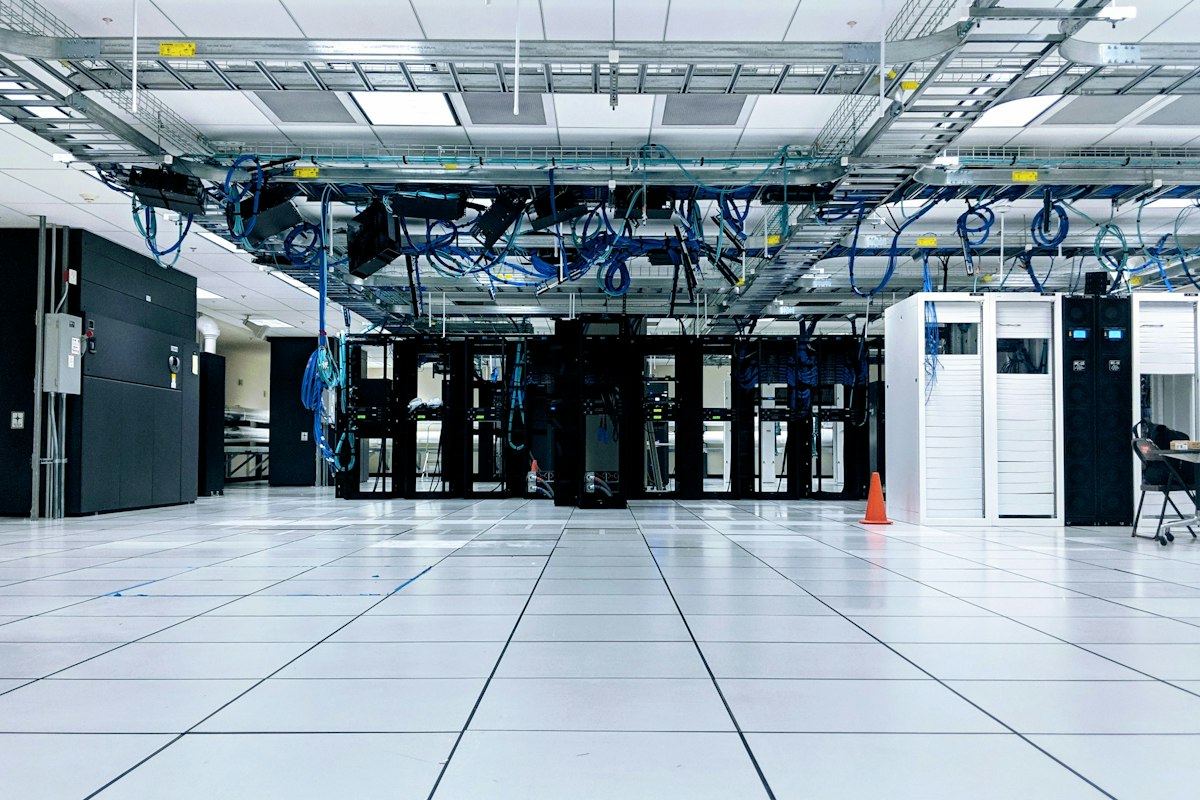
A server room audit is a walk through the room that holds a business's servers, network and storage, checking the physical things that keep them running: who can get in, whether the power stays on when the mains doesn't, whether the cooling reaches the equipment, what happens in a fire, and whether the racks and cabling are in a state anyone could work on safely.
Most server room outages don't start with a software failure. They start with a UPS battery nobody tested, a cooling unit that tripped on a Friday night, or a door propped open for a delivery. Those are all things you can see on a walk. This is the walk, in the order you'd do it.
1. Getting in: access and security
Start at the door, because that's where most of the risk walks in.
- The door is shut and locked. A propped door, or one held open by a wedge because the room gets hot, is the most common finding of all.
- Access is controlled and recorded: a card reader, keypad or key log, not a key on a hook in the next office
- The access list is current: leavers removed, contractors on time-limited access
- Visitors are signed in and escorted
- No windows or ceiling voids that bypass the door
- Cameras cover the door and the room, and the recordings are kept for as long as your policy says
Note
Never write down a door code, alarm code or password on an audit. Record that a control exists and whether it works. The code itself stays with the people who hold it.
2. Power
- UPS status: on mains, no alarms, load within its rating. Note the load percentage shown on the display.
- UPS batteries: the date of the last battery test or replacement, and whether it's in the maintenance record. Batteries age whether they're used or not.
- Runtime: how long the UPS would hold the current load, and whether that's long enough for the generator to start or for servers to shut down cleanly
- Generator (if there is one): tested on a schedule, fuel level, last test result in the log
- Distribution: power strips in racks rated for the load, no daisy-chained extension leads, both power supplies on dual-fed equipment plugged into different feeds
- Emergency power off button, if fitted, covered so it can't be pressed by accident, and labeled
3. Cooling and environment
Cooling problems are usually invisible until something shuts down.
- Temperature at the server inlets (the front of the racks, where cold air goes in), not the thermostat on the wall. Many IT teams work to the range in ASHRAE's thermal guidelines, roughly 18–27°C (64–81°F) at the inlet. Check your own equipment's limits.
- Hot spots: the top of racks, the end of rows, anything near a blocked vent
- Airflow: blanking panels in empty rack spaces, cold air not short-circuiting through gaps, cable bundles not blocking vents or floor tiles
- Cooling units: running, no alarms, filters clean, condensate draining, the last service date
- Humidity: not so dry that static becomes a problem, not so damp that condensation forms
- Water: no pipes running over the racks, leak detection under raised floors or around cooling units if fitted, no water stains on the ceiling
- Monitoring and alerts: temperature and humidity sensors that alert someone out of hours, and a record that the alert was last tested
4. Fire
- Detection: smoke detection in the room (and under the floor and above the ceiling, if there are voids), and the panel showing normal
- Suppression: many server rooms use a gas (clean-agent) system rather than water. Check the panel shows normal, the cylinders are within their service date, and the manual release and abort controls are labeled.
- Room integrity: gas only works if it stays in the room. New holes for cables through walls, ceilings and floors that haven't been sealed are a frequent finding.
- Extinguishers: the right type for electrical equipment, in date, in place
- Combustibles: no cardboard boxes, packaging or paper stored in the room. Server rooms tend to become storerooms.
- Signs on the door explaining the suppression system and what to do if it discharges
5. Racks and cabling
- Racks fixed or stable, doors closing, heavy kit at the bottom
- Labeling: racks, devices and both ends of cables, so someone can trace a connection without pulling it
- Cable management: no cables across walkways, no bundles hanging from the front of devices, power and data separated where possible
- Clear access: enough space in front of and behind racks to work, and to get out in an emergency
- Unused and unknown equipment: anything powered that nobody can identify is a finding. It's using power and cooling, and may be a security risk.
- Documentation: a rack diagram that matches what's actually in the rack
6. Housekeeping and records
- Clean: no dust build-up, no food or drink, no tools left in racks
- Maintenance records: UPS, generator, cooling and fire system service dates, and who did them
- Contacts: who to call out of hours, posted where someone in the room would see it
- Change log: what's been added, moved or removed since the last audit
What server room audits usually find
The door that's always open. Usually because the room is too warm, which is its own finding.
The UPS nobody has tested. It shows green. Nobody knows whether the batteries would last two minutes or twenty.
The room that turned into a storeroom. Boxes of old laptops, packaging, spare monitors. Fuel for a fire, in the one room where you least want one.
Unsealed holes. A contractor ran a new cable through the wall and didn't seal it. The gas suppression system would now leak out of the room.
No photo of the rack. Without a photo, nobody can tell next quarter whether the cabling got better or worse.
Doing it on the walk
A server room audit means standing in a loud, cold room, reading small displays and peering behind racks. A clipboard needs two hands you don't have.
Speak while you walk, and the document writes itself. "Rack three, inlet at the top twenty-six degrees, two missing blanking panels, photo. UPS on mains, load forty-two percent, battery test last done March. Cardboard boxes stacked by the cooling unit, photo." records the reading, the location and the photo while you're still standing in front of it.
Key Takeaway
The free IT room weekly inspection covers the regular check of a server or comms room and fills in on a phone. In the ReportWalk app you can build a fuller audit of your own, with your racks, readings and photos, and fill it in by voice. First walks free.
Related
- IT room weekly inspection: the free template
- How to do a fire risk assessment: the wider fire picture for the building
- Fire extinguisher inspection: the monthly check
- Security inspection checklist: the site's physical security
Frequently asked questions
What is a server room audit? A physical check of a server or comms room: access control and security, power and UPS, cooling and environment, fire detection and suppression, racks and cabling, housekeeping and maintenance records.
What should a server room audit checklist include? Who can get in and how it's recorded, UPS and generator status and testing, inlet temperatures and airflow, cooling unit condition, leak and environmental monitoring, fire detection, suppression and room integrity, rack stability and labeling, cable management, clear access, and up-to-date records.
What temperature should a server room be? Many IT teams work to the range in ASHRAE's thermal guidelines, roughly 18–27°C (64–81°F) measured at the server inlets. Check the manufacturers' limits for your own equipment, and measure at the racks rather than the wall thermostat.
How often should a server room be audited? A short walk-through weekly is common, with a fuller audit quarterly or twice a year, plus a check after any significant change such as new racks, building work or a cooling failure.
What are the most common server room audit findings? Doors left open, untested UPS batteries, missing blanking panels and hot spots, combustible storage in the room, unsealed cable holes that would let suppression gas escape, unlabeled cables and unidentified equipment.
Who should carry out a server room audit? Usually someone from IT or facilities who knows the room, sometimes with an independent reviewer for a fuller audit. The person doing it should be able to read the UPS and cooling displays and know who to call when something's wrong.