Thermal Imaging in Home Inspections: When and How to Use Infrared
Thermal imaging has gone from a specialized, expensive tool to something every serious home inspector should have in their toolkit. An infrared camera doesn't see through walls — let's kill that myth right now — but it does reveal temperature differences that point to problems invisible to the naked eye. Moisture intrusion, missing insulation, electrical hot spots, HVAC inefficiencies, and even pest entry points all show up as thermal anomalies when you know what you're looking at.
If you're a practicing inspector considering adding a thermal imaging home inspection service — or you already own a camera and want to get more out of it — this guide covers the practical reality of using infrared in the field. What it can do, what it can't, which cameras are worth the money, and how to turn thermal findings into professional, defensible reports.
What Does a Thermal Imaging Camera Actually Detect?
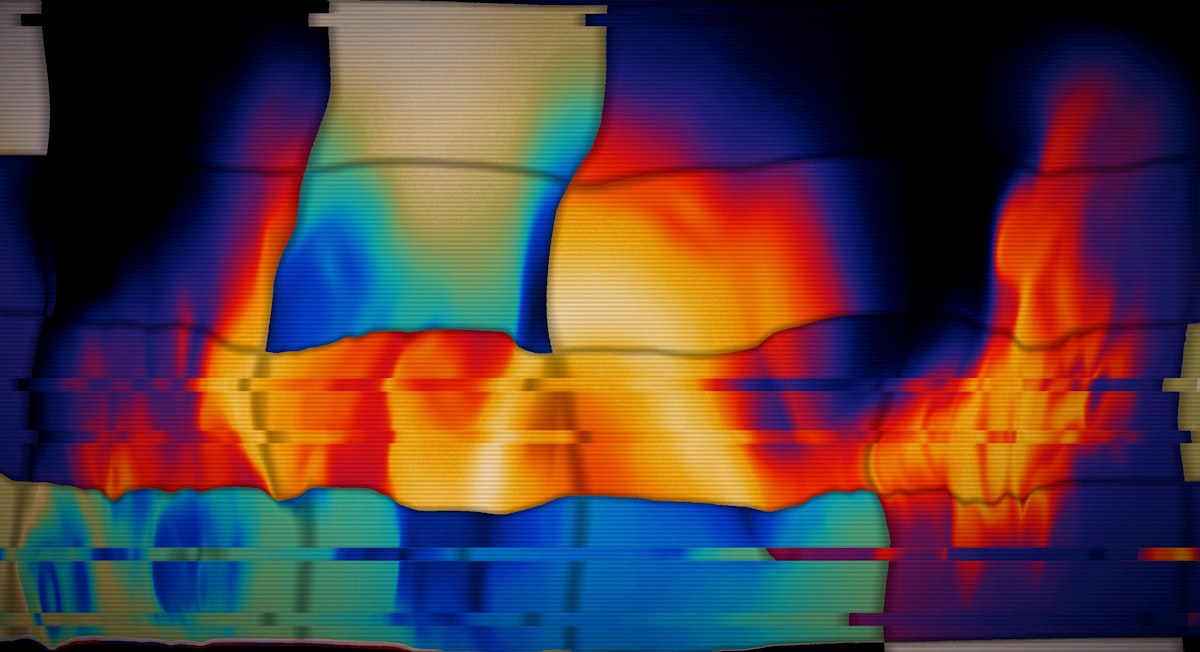
An infrared (IR) camera measures surface temperature differences and displays them as a color gradient — typically with warmer areas appearing as reds/yellows and cooler areas as blues/purples. It doesn't measure temperature inside walls. It measures the temperature of the surface facing the camera.
That distinction matters. You're interpreting thermal patterns, not diagnosing hidden conditions directly. A cold spot on an interior wall might be missing insulation — or it might be wind washing through a soffit. Context, experience, and confirmation testing are everything.
The Big Five: What Thermal Imaging Reveals
1. Moisture Intrusion
This is the single most valuable application of thermal imaging for home inspectors. Wet areas cool faster through evaporation, creating distinct cold spots on walls, ceilings, and floors. Common finds include:
- Roof leaks showing as cool patches on ceilings below the roofline
- Window and door flashing failures with moisture tracking down wall cavities
- Plumbing leaks behind walls or under floors — see our plumbing inspection checklist for what to verify
- Shower pan failures in bathrooms
- Foundation moisture intrusion along basement walls
Key Takeaway
Always confirm thermal moisture readings with a moisture meter. The IR camera tells you where to look — the moisture meter tells you if you're right. Never report moisture based on thermal alone.
2. Missing or Inadequate Insulation
Insulation deficiencies are easy to spot with thermal imaging when there's a temperature differential between inside and outside (at least 10°F is ideal). You'll see:
- Missing batt insulation in wall cavities — one stud bay glows hot/cold while its neighbors don't
- Settled blown-in insulation — the top portion of a wall shows thermal bridging while the lower portion is insulated
- Gaps around electrical boxes, pipes, and penetrations — these show up clearly as thermal anomalies
- Poorly insulated rim joists — a chronic weak spot in most homes
Our insulation inspection checklist pairs well with thermal scanning techniques.
3. Electrical Hot Spots
Overloaded circuits, loose connections, and failing breakers generate excess heat. Thermal imaging can identify:
- Overheating breakers in the electrical panel
- Loose wire connections behind outlet and switch cover plates
- Overloaded circuits running hotter than adjacent circuits
- Damaged or undersized wiring carrying more current than rated
Note
Electrical thermal scanning is a staple of commercial inspections and is increasingly expected in residential work. If you spot a breaker running 20°F+ hotter than its neighbors, that's a significant finding worth documenting. Refer to our electrical inspection checklist for standard panel evaluation.
4. HVAC Leaks and Inefficiencies
Ductwork issues are notoriously hard to spot visually but light up under infrared:
- Duct leaks in attics, crawl spaces, and wall cavities — conditioned air escaping shows as temperature anomalies on surrounding surfaces
- Missing or damaged duct insulation in unconditioned spaces
- Uneven heating/cooling distribution — rooms that aren't reaching setpoint temperature
- Radiant floor heating failures — cold spots indicate broken loops or zones
Check out our HVAC inspection checklist for comprehensive HVAC evaluation protocols.
5. Pest Entry Points and Activity
This one surprises a lot of inspectors, but thermal imaging can reveal:
- Air leaks around pest entry points — gaps in the building envelope where rodents or insects enter show as temperature anomalies
- Active pest nests — large rodent or bee/wasp nests can generate detectable heat signatures
- Termite activity — active termite colonies can sometimes generate enough metabolic heat to show on thermal, though this isn't reliable enough to use as a primary detection method
When to Use Thermal Imaging (And When Not To)
Thermal imaging isn't magic, and using it incorrectly leads to false positives, wasted time, and embarrassing callbacks. Here's when it works and when it doesn't.
Ideal Conditions for Thermal Scanning
- Temperature differential of 10°F+ between inside and outside — This is your minimum for reliable insulation assessment. 15–20°F differential is ideal.
- Early morning or evening — Solar loading (direct sun hitting exterior walls) creates false readings. Scanning after sunset or before sunrise eliminates this.
- Steady-state conditions — The HVAC system should have been running for at least 4 hours before scanning. Walk into a house that just had the heat turned on and you'll see misleading patterns.
- Dry conditions for moisture scanning — Recent rain can create evaporative cooling patterns on exterior surfaces that aren't actual moisture intrusion.
When Thermal Imaging Is Unreliable
- On a mild day with no temperature differential — If it's 68°F inside and 65°F outside, your insulation scan is useless.
- During or immediately after heavy rain — Exterior surfaces will show widespread evaporative cooling.
- On sun-heated surfaces — A south-facing wall at 3 PM in July will show stored solar heat, not insulation deficiencies.
- Through reflective surfaces — Glass, polished metal, and some tile reflect IR energy from other sources, giving misleading readings.
- As a definitive diagnostic tool — Thermal imaging identifies anomalies. It does not diagnose root causes on its own. Always confirm with secondary testing.
Note
The International Standards Organization (ISO) and ASTM International both publish standards for building thermography. ASTM C1060 covers in-situ thermal performance of building envelope components. Following established protocols protects you professionally.
Camera Recommendations for Home Inspectors
The thermal camera market has expanded dramatically. Here's what's worth considering at different price points:
Entry Level ($200–$500)
- FLIR ONE Pro (smartphone attachment) — 160×120 resolution, adequate for basic screening. Good starter camera but limited for professional work. About $300.
- Seek Thermal CompactPRO — 320×240 resolution in a smartphone attachment. Better resolution than FLIR ONE at a similar price point. Around $450.
Professional Mid-Range ($500–$2,000)
- FLIR C5 — 160×120 resolution, standalone unit with touchscreen and cloud connectivity. Built-in visual camera for MSX image blending. About $700.
- FLIR E5-XT — 160×120 native with MSX enhancement. Dedicated handheld unit. Around $1,200.
- Hikmicro B20 — 256×192 resolution at a competitive price. Increasingly popular among inspectors. About $800.
High-End Professional ($2,000+)
- FLIR E8-XT — 320×240 resolution with excellent image quality. The workhorse camera for serious inspection professionals. About $3,500.
- FLIR T540 — 464×348 resolution. Overkill for most residential work but exceptional for commercial inspections. $8,000+.
Key Takeaway
For most home inspectors starting out, a camera in the $500–$1,200 range delivers the best value. Resolution matters — a 160×120 camera can miss subtle anomalies that a 320×240 camera catches. But even an entry-level camera is infinitely better than no camera at all. Start somewhere and upgrade as your thermal add-on revenue grows.
Key Specs to Compare
| Spec | Why It Matters |
|---|---|
| Thermal resolution | Higher resolution = more detail. 160×120 minimum, 320×240 preferred |
| Thermal sensitivity (NETD) | How small a temperature difference the camera can detect. < 50mK is good |
| Temperature range | Most inspections fall within -20°C to 150°C — nearly all cameras cover this |
| Visual camera | For MSX blending (overlay thermal on visual). Essential for reporting |
| Wi-Fi/Bluetooth | For transferring images to your phone or report software |
| Battery life | 2+ hours minimum for a full inspection |
How to Interpret Thermal Images: Avoiding False Positives
This is where most inspectors stumble. A thermal anomaly isn't automatically a defect. Here's a practical framework for interpretation:
The Three-Question Test
Before calling anything a finding, ask yourself:
-
Is this anomaly consistent with a known defect pattern? — A cold horizontal line across a wall at mid-height, stopping and starting at stud bays, is classic settled insulation. Random hot spots could be anything.
-
Can I confirm it with another tool? — Moisture meter, visual inspection, or physical investigation. If you can't confirm, report it as an anomaly requiring further evaluation — not as a confirmed defect.
-
Are environmental conditions creating false readings? — Check for solar loading, recent rain, reflective surfaces, or insufficient temperature differential.
Common False Positives
- Stud lines showing through drywall — Normal thermal bridging, not a defect. Studs conduct heat differently than insulation.
- Furniture shadows — A bookshelf against an exterior wall blocks heat flow, creating a cool spot behind it.
- Reflected heat — Standing in front of a reflective surface? Your own body heat might be staring back at you.
- Recent water use — Someone just took a shower? The bathroom walls will show cool patterns from moisture that has nothing to do with a leak.
Reporting Thermal Findings
Your thermal images are only as valuable as the context you provide in your report. A colorful picture without explanation is useless to a client and a liability to you.
Best Practices for Thermal Reporting
-
Always pair thermal images with visual photos — Show the thermal anomaly side-by-side with a regular photo of the same area. This helps clients understand what they're looking at.
-
Include environmental data — Note the outdoor temperature, indoor temperature, weather conditions, and time of day. This establishes that conditions were appropriate for thermal scanning.
-
Describe the anomaly, not the diagnosis — Write "Thermal imaging revealed a temperature anomaly consistent with moisture intrusion at the southwest bedroom ceiling" rather than "There's a roof leak." You're an inspector, not a roofer.
-
Note confirmation testing — "Moisture meter readings confirmed elevated moisture levels (28% WME) at the area identified by thermal imaging."
-
Set expectations in your report language — Include a disclaimer explaining that thermal imaging identifies temperature anomalies, not hidden conditions, and that further investigation by specialists may be warranted.
Sample Finding Language
"Infrared thermal imaging identified a cool anomaly (approximately 8°F below ambient wall temperature) at the lower-left corner of the east-facing master bedroom wall. The pattern is consistent with moisture intrusion or air infiltration. Moisture meter testing at this location returned 22% WME (wood moisture equivalent), above the 15% threshold of concern. Recommend further evaluation by a qualified contractor to identify the moisture source and assess any concealed damage."
This kind of precise, measured language protects you professionally while giving the client actionable information. Using a voice-to-report tool like ReportWalk makes it easy to dictate findings like this in the field — speak the observation while you're looking at the anomaly, and the app formats it into your report. Available on iOS.
Upselling Thermal Imaging as an Add-On Service
If you're not already offering thermal imaging as a paid add-on, you're leaving money on the table. Here's how to position it:
Pricing
Most inspectors charge $100–$250 for a thermal imaging add-on, depending on the market and property size. In competitive markets, some include a basic thermal scan at no extra charge and charge for a comprehensive thermal report.
How to Pitch It
- To agents: "Thermal imaging catches moisture and insulation issues that a visual inspection can't — it protects your clients and reduces post-closing surprises."
- To buyers directly: "For $150, I'll scan the entire home with an infrared camera to check for hidden moisture, missing insulation, and electrical issues. It's like getting an x-ray of the house." (Yes, I know I said it's not an x-ray — but clients understand the analogy. Just set expectations properly.)
- On your website and marketing materials: Feature thermal images prominently. They're visually striking and immediately communicate technical capability.
ROI Calculation
If you charge $150 for a thermal add-on and 40% of your clients opt in, that's an extra $60 per inspection on average. At 3 inspections per day, that's $180/day or roughly $3,600/month in additional revenue. That pays for a professional camera in a month or two.
Note
According to InterNACHI, inspectors who offer thermal imaging as a standard or add-on service report higher client satisfaction scores and receive more referrals. The visual impact of thermal images in reports is a significant differentiator from competitors who don't offer the service.
Getting Trained: Thermal Imaging Certifications
While Washington and most states don't require certification to use a thermal camera during inspections, getting trained dramatically improves your accuracy and credibility.
Recommended Training
- InterNACHI Certified Infrared Inspector® (CIT) — Free online course for members. Covers the basics and provides a certification you can market.
- ITC (Infrared Training Center) Level I Thermography — The industry gold standard. 4-day intensive course covering theory, camera operation, and building applications. About $2,500.
- Monroe Infrared — Offers building-specific thermography courses at various levels.
At minimum, complete the InterNACHI CIT course before using thermal commercially. The ITC Level I is worth the investment if you plan to make thermal imaging a core part of your service offering.
Limitations: What Thermal Imaging Cannot Do
Let's be clear about what infrared cameras cannot do, because over-promising will get you in trouble:
- Cannot see through walls — It measures surface temperatures only
- Cannot detect mold — It can find moisture that may lead to mold, but it doesn't detect mold directly
- Cannot determine the age of a problem — A moisture stain that dried out last month may not show on thermal
- Cannot replace a moisture meter, electrical tester, or combustion analyzer — It's a screening tool, not a diagnostic instrument
- Cannot work without adequate temperature differential — In mild weather, insulation scanning is unreliable
- Cannot identify specific materials — It shows temperature patterns, not what's behind the surface
Final Thoughts
Thermal imaging is one of the most powerful tools in a home inspector's kit — when used correctly. It turns invisible problems into visible anomalies, gives clients confidence in your thoroughness, and generates meaningful add-on revenue.
But it requires understanding, practice, and discipline. Learn the science, respect the limitations, confirm your findings with secondary tools, and report with precision. An infrared camera in the hands of a trained inspector is a game-changer. The same camera in untrained hands is a liability.
Start with a camera you can afford, get trained, practice on your own home and friends' houses, and build thermal into your standard workflow. Your clients — and your bottom line — will thank you.