Drone Preflight Checklist, Spoken With Both Hands on the Controller
A drone preflight checklist is the set of checks a remote pilot runs before every flight: the airspace, the weather, the site, the aircraft, the battery, the controller and the link, ending in a go or no-go decision. In the US, Part 107 expects a commercial pilot to assess the operating environment and make sure the aircraft is in a condition for safe operation before flying. The checklist is how that gets done the same way every time.
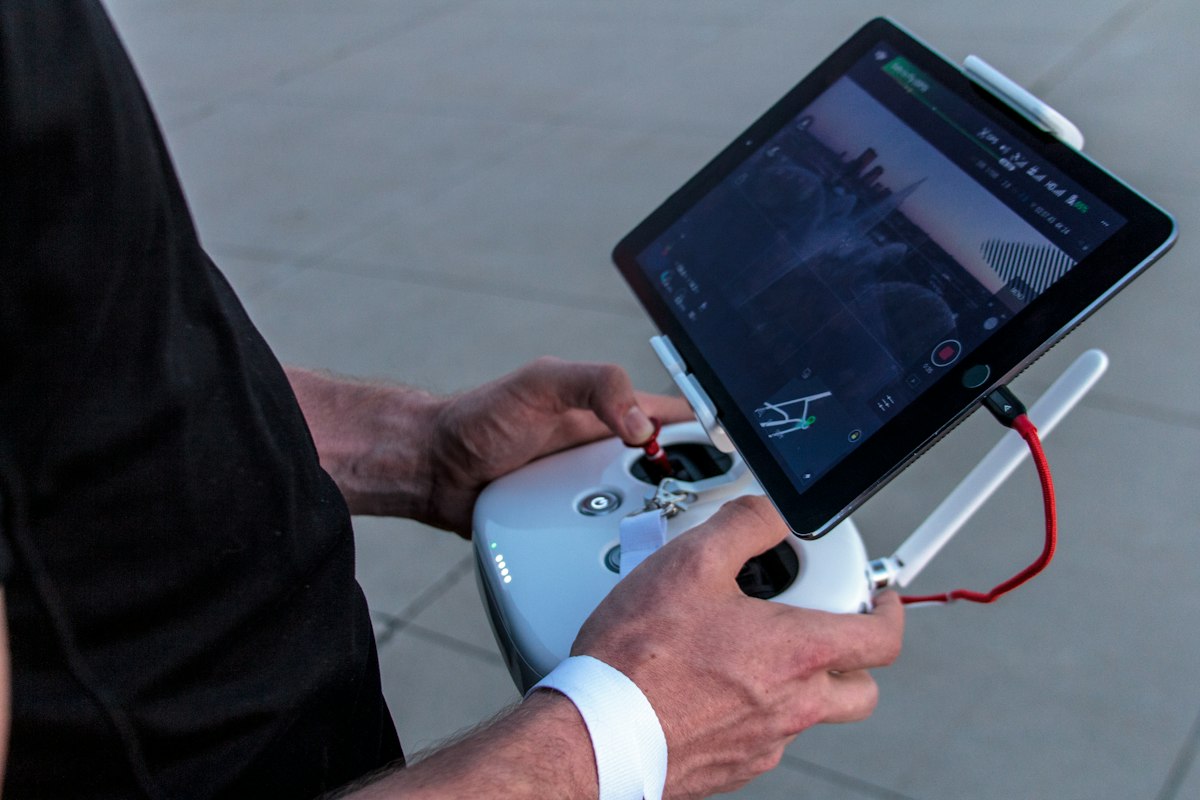
The trouble with most preflight checklists is the format. A laminated card or a phone form needs a free hand, and by the time a pilot is checking the link and the return-to-home setting, both hands are on the controller. That's when checks get skipped.
This is the preflight in the order you'd actually do it, and why it works better spoken.
Before you leave: airspace and paperwork
Most no-go decisions should happen at a desk, not in a field.
- Airspace: what class is the site in? Is it near an airport, a heliport or a stadium?
- Authorization: if the site is in controlled airspace, is the authorization approved (in the US, often through LAANC) and does it cover the height you need?
- NOTAMs and temporary flight restrictions for the date and time
- Permission from the property owner or client to take off and land there
- Certificates and registration current, and Remote ID working on the aircraft
- The job: what you need to capture, so the flight plan is short and deliberate
On arrival: weather and site
- Wind and gusts at the surface, and a sense of what it's doing at height
- Visibility and cloud, precipitation, temperature (batteries lose capacity in the cold)
- People: who's around, who might wander into the area, and how you'll keep them clear
- Hazards: power lines, trees, towers, cranes, reflective glass, metal structures that can upset the compass
- Takeoff and landing spot: flat, clear, away from people. Pick a second one in case the first becomes unusable.
- Visual observer in place if you're using one, and how you'll talk to each other
The aircraft, on the ground
- Airframe: no cracks, loose parts or damage from the last flight
- Propellers: no chips, cracks or bends; mounted firmly, the right ones on the right motors
- Motors: spin freely, no grit, no unusual noise
- Battery: charged, seated and locked, no swelling or damage, cycle count reasonable
- Payload and camera: lens clean, gimbal free, memory card in with space on it
- Firmware current on the aircraft, controller and batteries, so it doesn't update mid-job
Power on: controller and link
- Controller charged, sticks centered, the right flight mode selected
- Link established, video feed clear
- GPS lock with enough satellites; home point recorded where you are
- Compass and IMU calibrated if the app asks, away from metal
- Return-to-home height set above the tallest obstacle on the site
- Lost-link behavior set to what you want: return home, hover or land
- Remote ID broadcasting
The go or no-go
A real decision, said out loud: airspace clear, weather within limits, site safe, aircraft and battery good, link solid. If anything's marginal, it's a no-go. The flight that gets cancelled costs a reschedule. The one that shouldn't have happened can cost a lot more.
Then a short brief to anyone helping: what you're doing, where you'll fly, and what happens if something goes wrong.
After landing
- Battery: note the cycle, temperature and any swelling
- Damage: anything that wasn't there at takeoff
- Anything unusual: lost link, unexpected behavior, near misses with other aircraft or birds. Record it while it's fresh.
Why say it out loud
Pilots in crewed aviation call out checks for a reason: saying each item forces you to actually look at it, and it leaves a record. With a drone, there's a practical reason too. Once the aircraft is powered and the controller is in your hands, you can't tick boxes.
Speak while you walk, and the document writes itself. Saying "Props good, no chips. Battery one, ninety-eight percent, seated. GPS fourteen satellites, home point set. Return-to-home at a hundred and twenty feet, above the oak. Wind about eight, gusting twelve. Go." records every check with a timestamp, while your hands stay where they need to be.
Key Takeaway
The free drone preflight checklist covers crew, airspace and authorization, weather, site, aircraft, controller and link, the go or no-go, and a post-flight battery log. The drone risk assessment is for planning the mission. Both fill in on a phone; in the ReportWalk app they fill in as you speak. First walks free.
Related
- Drone preflight checklist: the free template
- Drone risk assessment: planning the mission
- Drone roof inspection: what the flight is often for
Frequently asked questions
What should be on a drone preflight checklist? Airspace and authorization, NOTAMs and flight restrictions, weather, site hazards and people, the aircraft (airframe, propellers, motors, battery, payload, firmware), the controller and link (GPS lock, compass, return-to-home height, lost-link setting, Remote ID), and a go or no-go decision.
Is a preflight check required for commercial drone flights? In the US, Part 107 requires the remote pilot to assess the operating environment and confirm the aircraft is in a condition for safe operation before flight. Other countries have similar requirements; check the rules where you fly.
What is LAANC? The FAA's Low Altitude Authorization and Notification Capability, a system that gives many Part 107 pilots near-real-time authorization to fly in controlled airspace near airports.
What return-to-home height should I set? Higher than the tallest obstacle between you and the aircraft's likely positions on the site, such as trees, buildings and towers, and within your authorized altitude.
How do I know if a drone battery is safe to fly? It should be fully charged, seated and locked, at a reasonable temperature, and show no swelling, damage or unusual warnings. Track cycle counts and retire batteries that swell or lose capacity quickly.
What should I record after a flight? Battery condition and cycles, any damage, flight time, and anything unusual such as lost link, unexpected behavior or close encounters with other aircraft, people or wildlife.